

How to Register on the national Fuel Pass - (fuelpass.gov.lk)

The National Fuel Pass (QR system) will be reopened to provide a guaranteed weekly fuel quota for vehicles during the ongoing crisis

Key Takeaways

  • The National Fuel Pass is a QR-code system used in Sri Lanka to manage weekly fuel quotas for vehicles.
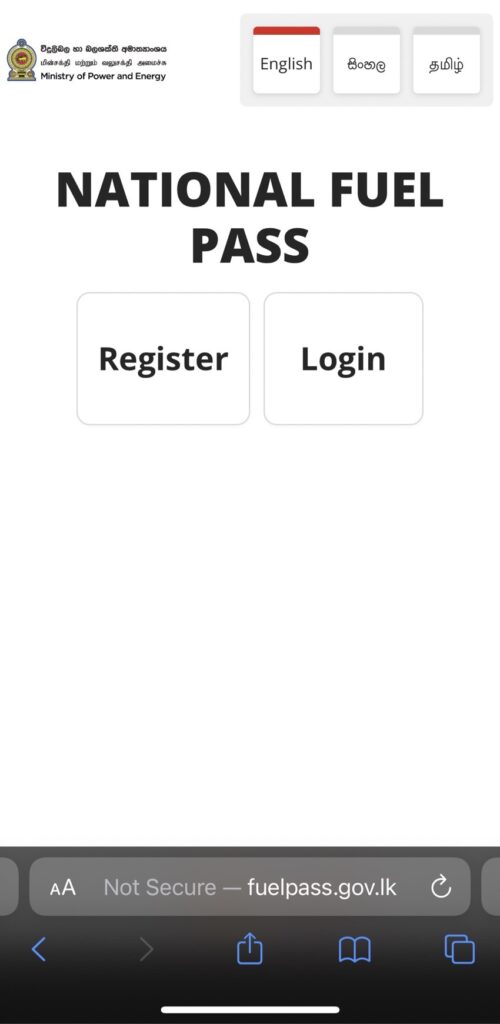
  • Vehicle owners must register at the official portal: fuelpass.gov.lk.
  • Registration requires a mobile number, NIC/passport/BRN, and vehicle details.
  • After registration, users receive a unique QR code linked to their vehicle.
  • The QR code must be presented at fuel stations to purchase fuel within the weekly quota.

The Sri Lankan government has reintroduced the QR Code fuel distribution system starting from 6:00 AM on 15 March to manage fuel distribution efficiently during the ongoing crisis. Under the National Fuel Pass program, motorists must register their vehicles and obtain a QR Code to purchase fuel, as filling stations will not issue fuel without a valid QR code registration. The system is designed to control demand and ensure fair distribution of fuel across the country. According to the announced guidelines, the weekly fuel quota per vehicle category is set as follows: 

  • Buses – 60 litres
  • Motorcycles – 5 litres
  • Motor cars – 15 litres
  • Vans – 40 litres
  • Motor lorries – 200 litres
  • Land vehicles – 25 litres
  • Three-wheelers – 15 litres
  • Special purpose vehicles – 40 litres.
ඉන්ධන ලබාගැනීමේ ක්‍රමය: Here is the guide how to register with National Fuel Pass QR System

Get Help Registering for the National Fuel Pass via WhatsApp

The Government Information Center (GIC) has introduced a special WhatsApp support service for vehicle owners who need assistance registering for the National Fuel Pass.

If you are facing issues during registration, you can get support by following the steps below:


Steps to Follow

  1. Send your Vehicle Number via WhatsApp to: 076 000 1919
    ⚠️ Please note: Do NOT send the vehicle number as an image. It must be typed.
  2. Then send clear photos of the following documents to the same number:
    • 🪪 National Identity Card (NIC) / Driving License / Passport
    • 📄 Valid Vehicle Revenue License
    • 📘 Vehicle Registration Certificate (CR)

Important Notes

  • Only the registered owner of the vehicle is eligible to apply.
  • The ID number provided must match the owner’s details in the Vehicle Registration Certificate (CR).

Data Protection

All personal data you provide will be handled in accordance with the Personal Data Protection Act No. 9 of 2022.

  • Your information will be used only for validation purposes.
  • After verification is completed, all personal data (except the vehicle number) will be securely removed from the system.
  1. What is the purpose of Fuel Pass?

    Fuel Pass is an online platform that aims to weekly fuel quota for motorists. QR code allocated once Vehicle Chassis number 1 Vehicle per 1 NIC & details verified. 2 days of the week according to Last Digit of vehicle number plate for fueling with QR”

  2. Why do I need to register with Fuel Pass?

    Fuel Pass is an online platform that aims to weekly fuel quota for motorists. QR code allocated once Vehicle Chassis number 1 Vehicle per 1 NIC & details verified. 2 days of the week according to Last Digit of vehicle number plate for fueling with QR”

  3. How to check fuel balance on mobile?

    Type “FUEL BAL (VEHICLE NO) and send to 0766220000

  4. How to register Sri (ශ්‍රී) vehicles?

    Registration with Sri vehicle only enter the vehicle number in Colums ‘Ex 3 Sri-1234’ – ‘3-1234’

National Fuel Pass
NFP Step by Step Guide Sinhala
NFP-Step-by-Step-Guide-Tamil
NFP Step by Step Guide Tamil
NFP-Step-by-Step-Guide-Tamil

open National Fuel Pass via web, mobile. Once the site is open, Click Register and fill with required details. It’s available in Sinhala, Tamil, English language.

1. Visit fuelpass.gov.lk

img 0216

2. Register with Below Required Details

3. Add your NIC number and mobile
number

4. Click “Send OTP

5. Enter the OTP number received by
the given mobile number? click -Verity

img 0218

6. Enter your first name, last name and residental address click “Next to continue.

7. Fill out the required vehicle
details

8. Tick the box to confirm your consent of the Terms & Conditions and press the “Register” button.

Follow us on

You may want to read these:

Start your own Mobile Shop in Sri Lanka

HelaPay | Everything you need to know about හෙළPay Top Up & Pay Bills

Best Work From Home and Learn Plans

  • We would love to hear from you! Please comment below or send us your feedback and suggestions.

More like this

Get in touch

What is Classifylanka.com

Classify Lanka Directory is a place to popularize your Business and generate leads in Sri Lanka. Get reviews and grow business reputation online. Your company profile can include contacts and description, products, photo gallery and your business location on the map.

GET HELP

© 2019-2025 Classify ❤︎ Lanka All Rights Reserved.